Making Control Engineering Understandable: The Ball Balancing Table with Cube

How can you teach students and pupils the basics of control engineering in a clear and motivating way? With the Ball Balancing Table and Fluidon Cube as a learning platform!
The Ball Balancing Table is a classic example from control engineering and robotics that is frequently used in teaching. It serves as a vivid platform for explaining basic and advanced concepts of control engineering.
The teaching approach: from theory to practice
After a theoretical introduction by the lecturer, the learners jump straight into practice:
- Registration and project start: Participants register with Cube and create their own project for the balancing table using the prepared templates or via project import.
- Simulation with FMI task: An FMI task containing a prepared FMU (functional mock-up unit) is integrated into the project workflow. This FMU comprises two PID control loops for the x- and y-axes of the table.
- Optimising parameters: Learners assign their own parameters to the PID controllers and start the simulation.
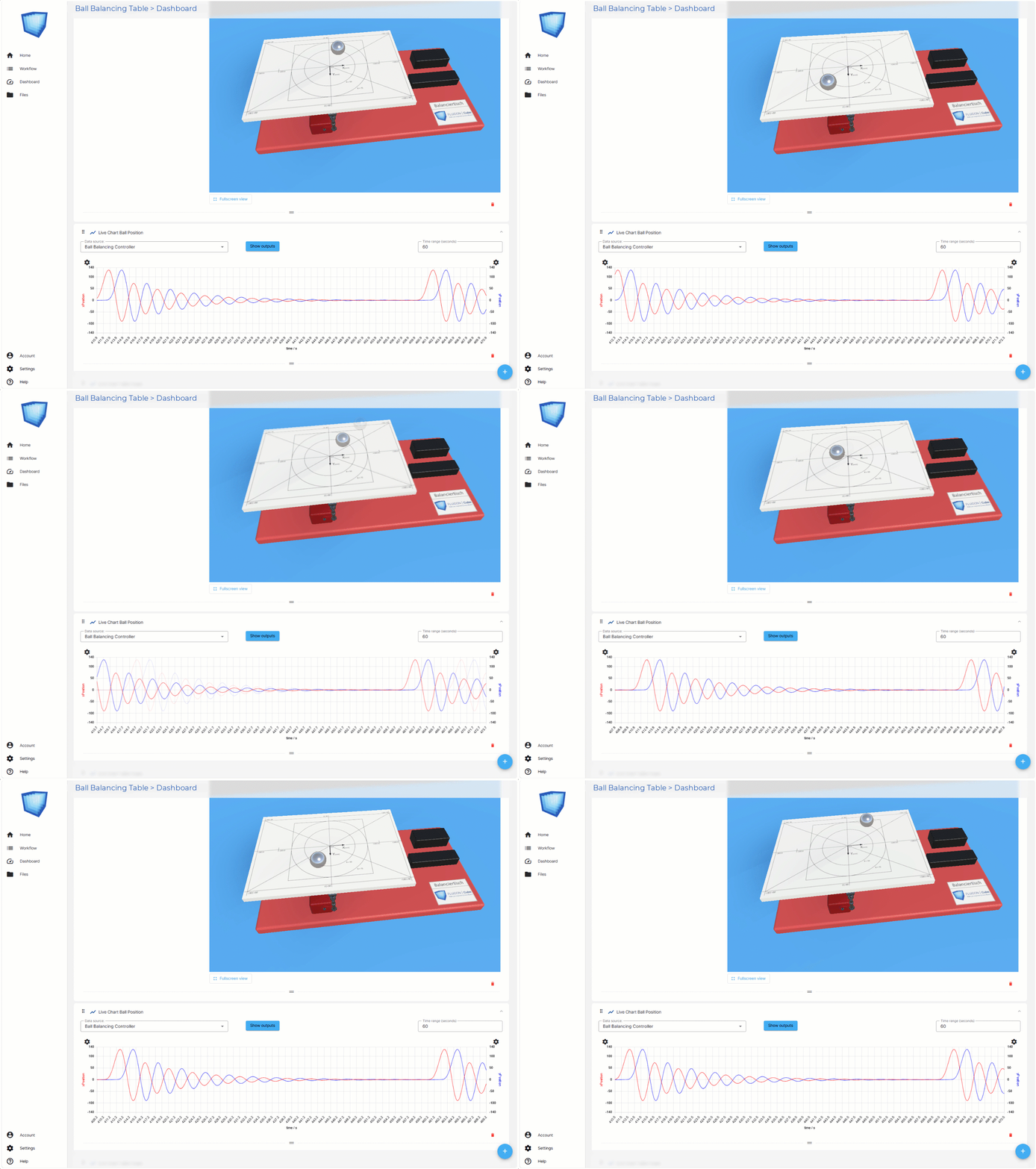
- Immediate success check: In the project dashboard, they see a 3D animation of the balancing table and real-time diagrams. This allows them to see immediately whether their controller parameters can stabilise the ball.
- Transfer to reality: If successful, they present their solution on the real system – in front of lecturers and fellow students.
What is a balancing table with a ball?
- Structure: A flat plate (usually round or square) can be tilted along two axes (X and Y). A ball rests on this plate, and its position is controlled by tilting the plate.
- Objective: The ball should be moved to a specific position (e.g. the centre) by tilting the plate in a targeted manner and kept stable there.
Example tasks
- Stabilisation: Keep the ball in the centre of the plate.
- Trajectory tracking: Guide the ball along a specified path (e.g. circle or figure eight).
- Disturbance compensation: React to external disturbances (e.g. when the ball is knocked).
Flexibility for advanced tasks
- Alternative control concepts: If you want to go beyond PID control, you can develop your own FMUs – e.g. for state controllers or fuzzy logic approaches – and exchange them in the FMI task.
- Trajectory control: Do you want the ball to follow a specified trajectory? No problem! Learners program their own FMU and test it in the Cube project.
Advantages for teaching
✅ Immediate visualisation: The 3D animation and diagrams make the effect of the controller parameters directly visible. ✅ Easy to use: No complex setup – learners can concentrate on the essentials: control engineering. ✅ Motivation through a sense of achievement: Quick feedback in the dashboard and presentation on the real system increase the joy of learning. ✅ Scalable: From simple PID controllers to complex motion control – Cube grows with your requirements.
Interested? Would you like to use the Ball Balancing Table with Cube in your training? Contact us – we will support you with integration and provide you with project templates!