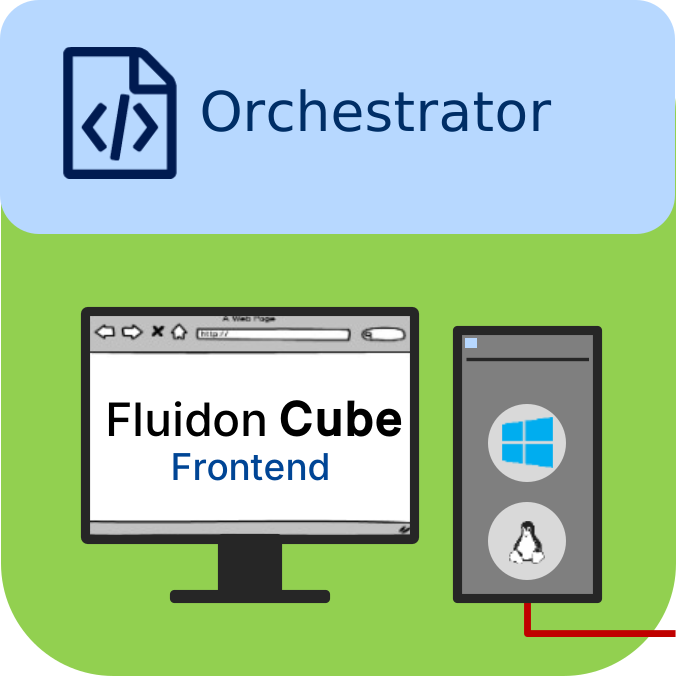
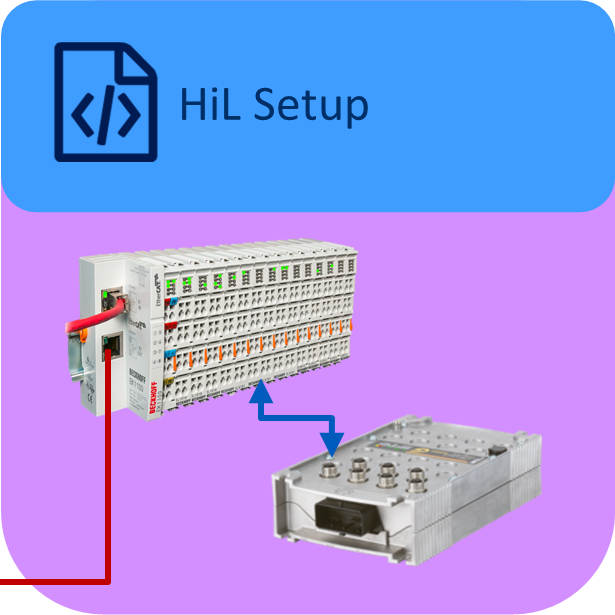
Fluidon Cube in Detail

Fluidon Cube is a cloud-based SaaS platform that enables the centralised creation and provision of prepared projects for technical systems. These projects serve typical tasks such as the development, testing or analysis of systems and services based on them.
A project in Cube usually comprises a defined workflow that either
- examines or influences the properties or behaviour of a technical system, or
- provides corresponding services based on the system.
Technical systems are represented in Cube by various objects. These objects represent the components of the system, e.g. simulation models, algorithms, databases or other technical components.
Experienced users can prepare and configure such projects independently. Less experienced users can access Cube to use these preconfigured projects directly without having to perform their own modelling or configuration work.
Cube Workspaces and Templates
Each Cube account has its own workspace. Users create and manage their projects in this workspace. New projects can be created or existing templates can be used, which have been provided by the users themselves, by FLUIDON or by other Cube users.
Templates
Templates can be created directly from existing projects within a workspace. They are then available to all members of the respective workspace. A template includes:
- all scripts used,
- the integrated simulation models,
- all raw and result data,
- and the current project configuration.
Templates enable less experienced users in particular to use prepared workflows immediately without having to carry out modelling or configuration work themselves.
Exporting and importing projects
If a cube project is to be transferred to another workspace, it must first be exported. For reasons of data protection and access separation, the transfer does not take place directly between workspaces.
During export, the entire project – including all data and configurations – is saved in a ZIP archive. This archive can then be imported into another workspace. It is also suitable for use as a backup or for archiving completed projects.
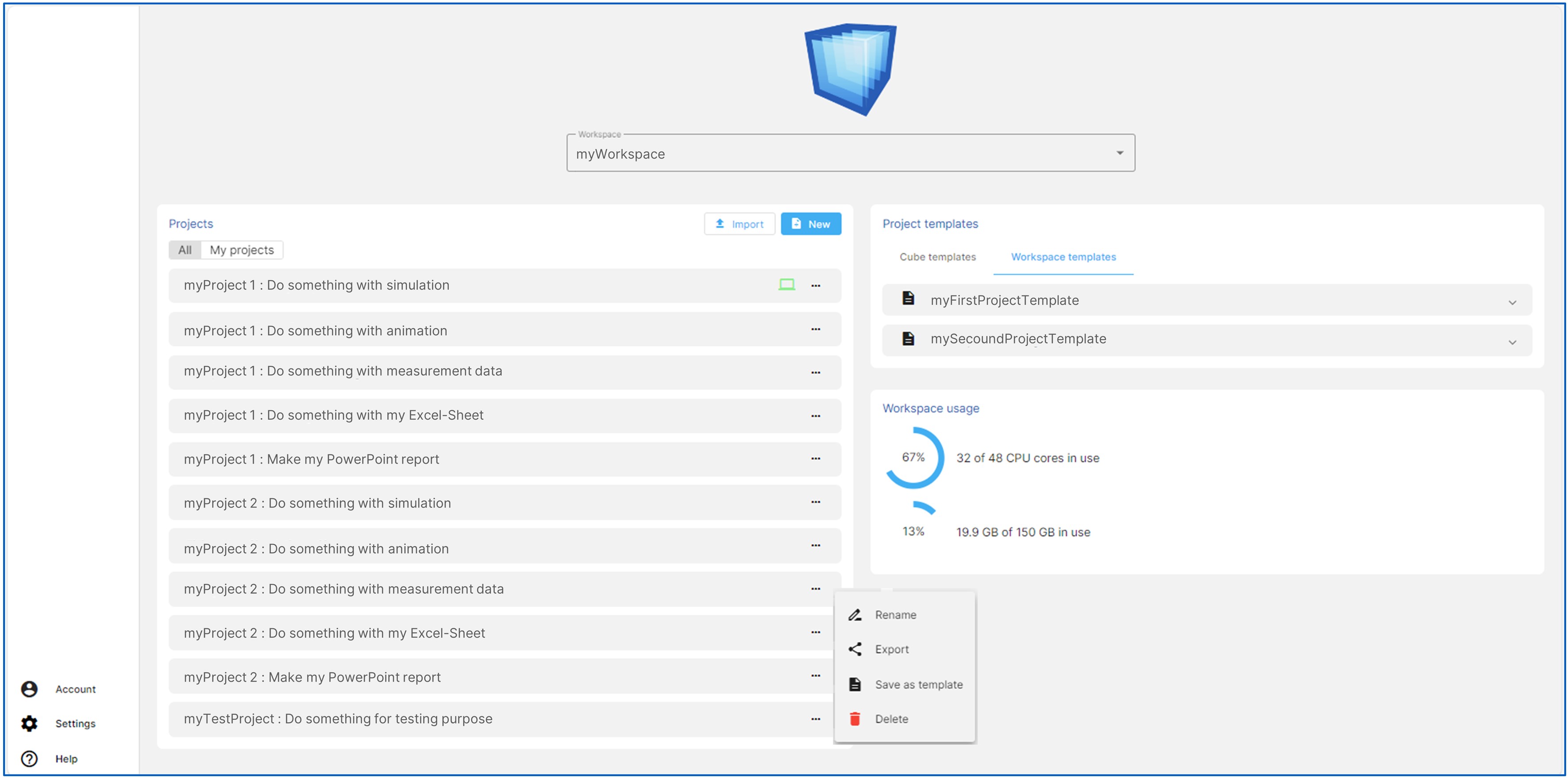
Fluidon Cube - Workspace view
Benefits for less experienced users
Users with limited simulation experience can concentrate fully on entering the required data and executing the workflows by using such templates. Routine simulation-related tasks are eliminated, allowing the focus to be on interpreting the results.

Workspace Properties and Resource Management
Users who are invited to a workspace by an administrator are registered there as members. Within a workspace, members can either work on their own projects or collaborate on shared projects.
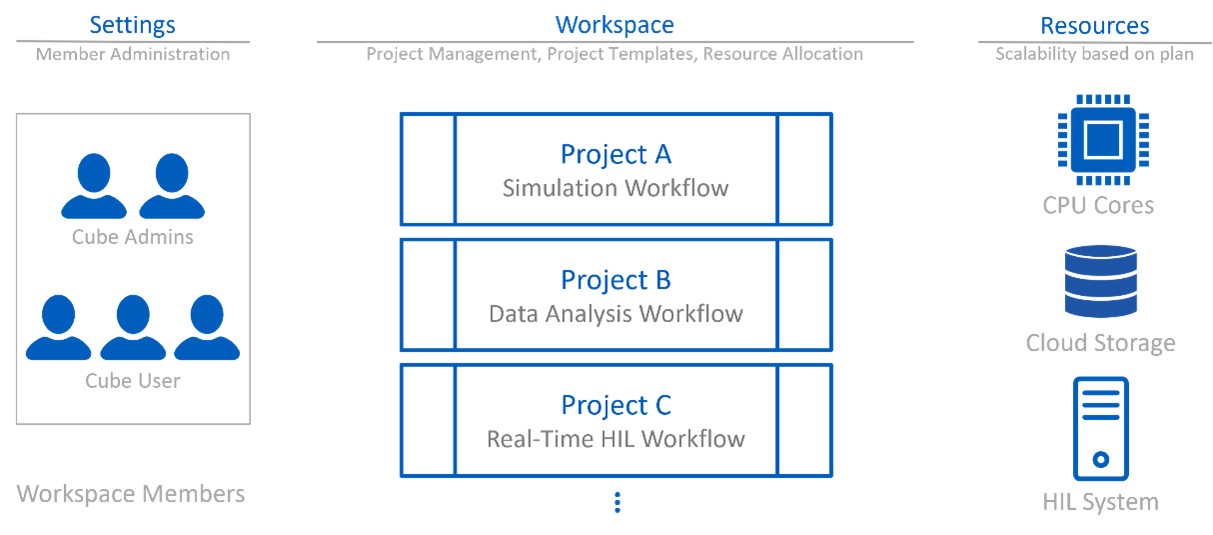
Fluidon Cube - Collaboration
The workspace provides an overview of the available resources. These include:
- CPU cores for calculations,
- storage space on the cloud platform,
- Cube RT systems for runtime simulations.
All resources are available in a shared pool and can be assigned to individual projects as needed.
Plan models and tariffs
As is common with modern SaaS applications, each Cube account is assigned to a specific plan. The plan specifies:
- which resources are available,
- which additional services or service options are included,
- and which extensions are subject to a charge.
The basic tariff ‘Cube Free’ allows you to create your own workspace and is available free of charge.
Advantages of a SaaS Application
As a SaaS application, Fluidon Cube offers a number of advantages over traditional locally installed software. The platform is ready to use immediately after registration, without the need for installation or additional hardware. This allows companies to implement the solution quickly while benefiting from lower initial investments, as there is no need to purchase their own servers, powerful computers or separate software licences. Instead, the solution is used via monthly or annual subscription models.
Easy to use
The browser-based user interface is intuitive and allows users to get started quickly. Users generally do not need extensive training to work with the platform.
Location- and device-independent access
As a cloud application, Fluidon Cube is accessible via the internet. Users can therefore access their projects at any time and from different locations, devices or working environments.
Scalability and flexible resource expansion
SaaS applications can be scaled as needed. Storage space, computing power or additional services can be added at short notice via a plan adjustment. This enables companies to respond to increasing demands without having to expand their own hardware.
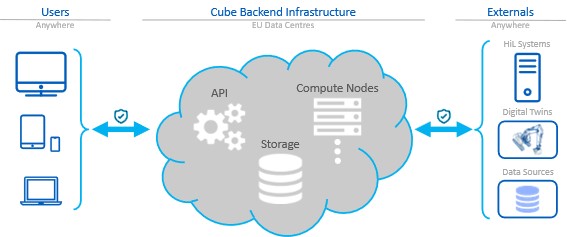
Fluidon Cube – Flexibility, scalability and safety
High availability and automatic updates
Operators of SaaS platforms ensure stable and reliable use through redundancy and high-availability solutions. Updates, maintenance and security patches are installed automatically. Users do not have to worry about installation or updates themselves and always work with the latest version of the software.
Data security
Fluidon Cube data is stored exclusively in European data centres. In addition to the security measures implemented by the data centres, all areas of the platform accessible via the internet are secured using state-of-the-art technology. This enables Fluidon Cube to achieve a high level of security that would be difficult for smaller companies in particular to implement on their own.
Connection of external devices and data sources
Fluidon Cube offers interfaces for accessing external devices and data sources. These can be used, for example, to:
- integrate measurement data,
- exchange live data or
- connect the Cube's own RT system.
This allows the platform to be seamlessly integrated into existing system landscapes and used for real-time or test applications.
Executing a Workflow in Fluidon Cube
To execute a workflow, a Cube project must first be prepared in the workspace. This includes creating the project, setting up the required workflow, loading the necessary data or simulation models, and specifying the CPU cores required for execution. In this prepared state, no computing resources are yet allocated; only scripts, models, and data take up storage space in the cloud.
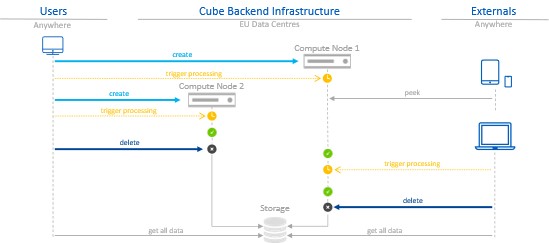
Fluidon Cube – Computing power on demand
Starting a compute node
The actual execution only begins when the user creates a compute node. When it is created, the previously defined number of CPU cores is allocated from the shared resource pool. Once the compute node is ready, the workflow can be started.
Interaction during execution
A running workflow can be controlled and monitored from any end device, such as a tablet or mobile phone. Users can:
- check progress,
- adjust configurations,
- provide new data, and
- restart execution if necessary.
The data generated during the calculation is automatically transferred from the compute node to the cloud storage, where it is permanently available.
Release of computing resources
Once the workflow has been completed, the allocated resources are released again. This is done by deleting the compute node, which makes the CPU cores used available to all users of the workspace again.
Parallel execution of multiple projects
If there are still free computing resources available in the account during the execution of a compute node, additional compute nodes can be started and multiple projects can be executed in parallel.
Development as a Team Success – Collaboration in the Workspace
A cube workspace enables multiple users to work on joint projects simultaneously and in a structured manner. This function forms the basis for collaborative development processes within a company.
Concept: Development as a team effort
The principle of development as a team effort is based on the recognition that technical projects are most efficiently carried out through coordinated collaboration. In many engineering disciplines, the participation of different specialisms is required to analyse, solve and further develop complex tasks.
Cube supports this approach by allowing multiple users to access the same project resources in parallel and work together on workflows.
Roles and team composition
- Internal users: Employees of a company who are assigned to a workspace automatically become members of the project team. They can create, edit and jointly execute projects.
- External specialists: If additional expertise is required, external experts can be invited to join the workspace. They are given the same project-related access rights as internal members, depending on the permissions assigned.
Advantages of collaborative working
- Shared access to project resources
- Improved coordination between departments
- Efficient processing of complex tasks
- Possibility of integrating external expertise
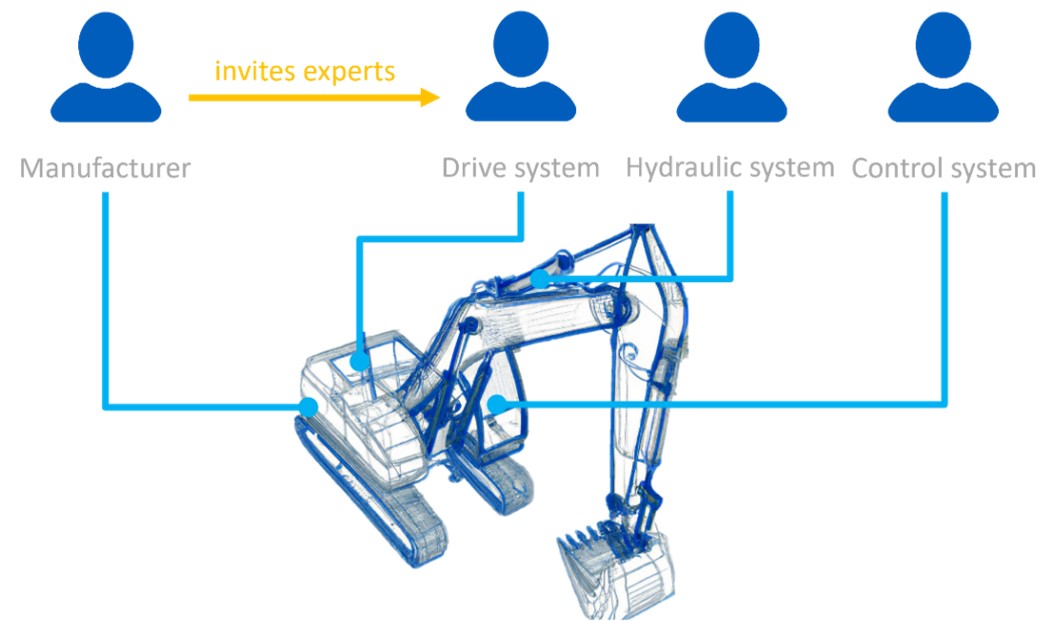
Fluidon Cube - Development as a team effort
Provision of External Solutions by Service Providers
Fluidon Cube offers external specialists the opportunity to contribute their own solutions to the platform as a service. This creates a business model in which service providers can make their developments available to multiple companies.

Fluidon Cube - Engineering as a Service
Possible types of contributions
External service providers can create and provide the following content, among other things:
- Python modules: Specific functions, libraries or evaluation logic.
- Complex workflows: Pre-built pipelines for calculations, analyses or data processing.
- Data preparation: Structures, schemas or data packages used in projects.
- 3D models: Unity-based visualisations for displaying technical systems within Fluidon Cube.
This content can either be developed directly as part of a customer project or prepared as a project template and made available for reuse by various users.
Publication as a Cube plugin
In collaboration with FLUIDON, external solutions can also be implemented as Cube plugins. Plugins are available to all Cube users, depending on the respective licensing. The platform provides suitable interfaces and mechanisms to protect the service provider's intellectual property and specific know-how.
Application scenario
A typical example is a service provider in the field of control systems who provides algorithms or simulation models. These can be made available to several companies without the service provider having to disclose the code in full.
Fluidon Cube – Modules of the SaaS Development Environment